Google enhances education with AI tools led by educators

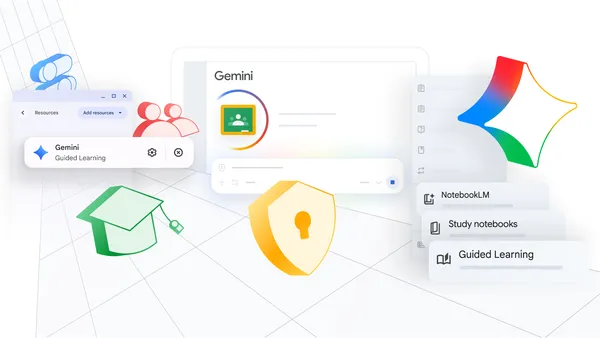
Google is enhancing educational experiences by providing AI tools designed to help educators achieve their teaching objectives and offer personalized learning experiences to students, all while ensuring a secure environment.
In recent years, Google has collaborated with educational institutions and partners globally to create solutions tailored for them. These AI tools are grounded in learning science and allow educators to remain at the forefront when integrating technology into classrooms to add value. The tools are seamlessly integrated to assist teachers in supporting students effectively, with data privacy and security being a top priority.
AI has the potential to revolutionize education by providing more personalized and accessible learning opportunities through responsibly developed tools. However, this potential can only be realized when teachers guide AI use effectively. We are broadening our teacher-led AI initiatives in Google Classroom to assist educators in offering relevant, personal, and transparent learning experiences.
In the upcoming months, teacher-led activities will be introduced to Google Classroom for Guided Learning in Gemini, study notebooks in Gemini, and NotebookLM. These teacher-led AI experiences will be available soon on select learning management systems used by educators.
New AI-powered learning tools
- Teacher-led Guided Learning in Gemini: This tool provides a focused, curriculum-based environment, offering educators insights into student progress.
- Teacher-led Study Notebooks: These enable educators to prepare students for exams with concise lessons and quizzes that adapt to the student’s learning pace.
- Teacher-led NotebookLM: This feature allows educators to transform class materials into interactive formats like flashcards and podcasts, supporting students’ understanding and providing insights.
To assist educators in guiding these AI tools and keeping students on track, Class tools on Chromebooks now include a Focus Mode. For instance, teachers can lock screens to NotebookLM for focused research, or provide test prep based on existing classroom content. A new Guided Learning toggle will soon be available in Class tools, providing real-time support during class activities while minimizing distractions.
Integration and support for educators
Google is launching the connected Classroom app in Gemini, utilizing existing assignments, grades, and materials to assess progress and create tailored activities. As part of Google Workspace for Education, all data remains secure and is not used for AI model training.
Google recognizes that teachers perform best when their preferred tools work in harmony. In the coming months, the Google Classroom Model Context Protocol (MCP) server will be launched, enabling external EdTech platforms to securely integrate with Classroom context, maintaining streamlined workflows and opening up new teaching possibilities.
An example of this integration is when an educator identifies learning gaps in recent assignments, allowing them to address topics that require further teaching. When preparing a lesson plan for a substitute teacher, educators can provide guidance and receive help from Gemini in finding suitable activities. Teachers can also draft announcements across classes using Gemini and review them before sharing them in Classroom.
Effective classrooms are centered around teachers and students. While AI serves as a powerful learning tool, its true potential is unlocked when digital tools are balanced with the irreplaceable human connection between teachers and students.
Developing these purpose-built tools is only part of the mission. Ensuring that educators are confident and in control when using these tools to add value to their classes is equally important. Google for Education is investing in global training and community programs, such as the Google AI Educator Series, developed with ISTE+ASCD. This initiative aims to make AI training accessible to all 6 million U.S. educators, empowering them to confidently use AI to support their teaching efforts. Additional information and updates on these features are available on Google’s website and launch guide.